Fashion terms / Ghost Mannequin Effect
What Is the Ghost Mannequin Effect?
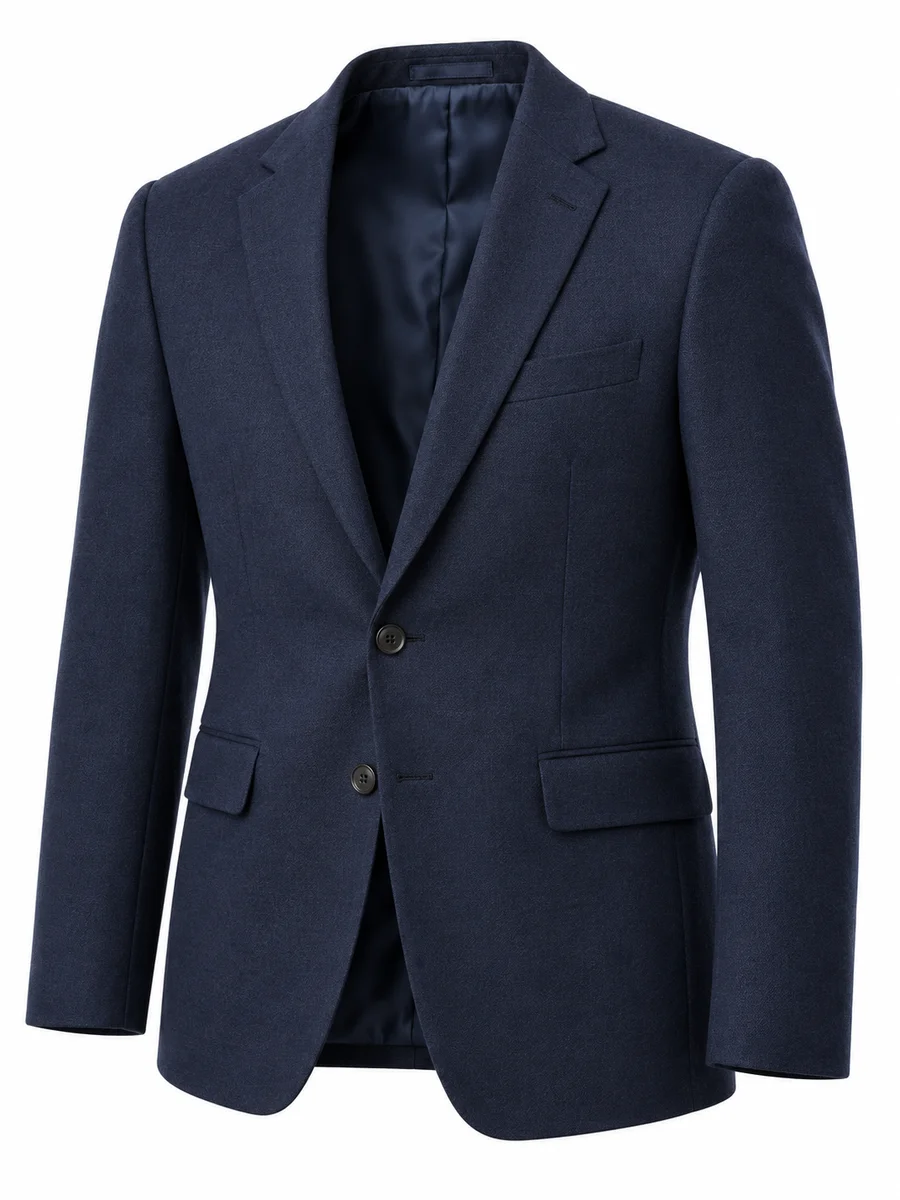
The ghost mannequin effect is a product photo technique that makes clothing look as if it's worn by an invisible body. The garment keeps its 3D shape, but no mannequin or model is visible. It's also called the invisible mannequin or hollow man effect.
Ghost Mannequin, Invisible Mannequin and Hollow Man
These names all describe the same effect:
- Ghost mannequin: the most common name
- Invisible mannequin: also the name of the physical studio mannequin with removable parts, used to create the effect
- Hollow man / hollow mannequin: because the garment looks hollow, as if the person wearing it has disappeared
What Makes the Effect Work
- 3D shape: the garment looks filled out, as if worn, instead of flat
- Visible inside: you can see the inside of the collar, neckline and back
- No body: no mannequin, model or hanger appears in the final photo
- Clean background: usually pure white, so the garment stands out
How the Ghost Mannequin Effect Is Created
There are two ways: the traditional method, where the garment is photographed on a mannequin and the photos are combined in editing software, and the AI method, where AI removes the body and builds the 3D shape from one photo.
For the full process, see our complete guide to ghost mannequin photography.
Can You Turn Any Photo into a Ghost Mannequin?
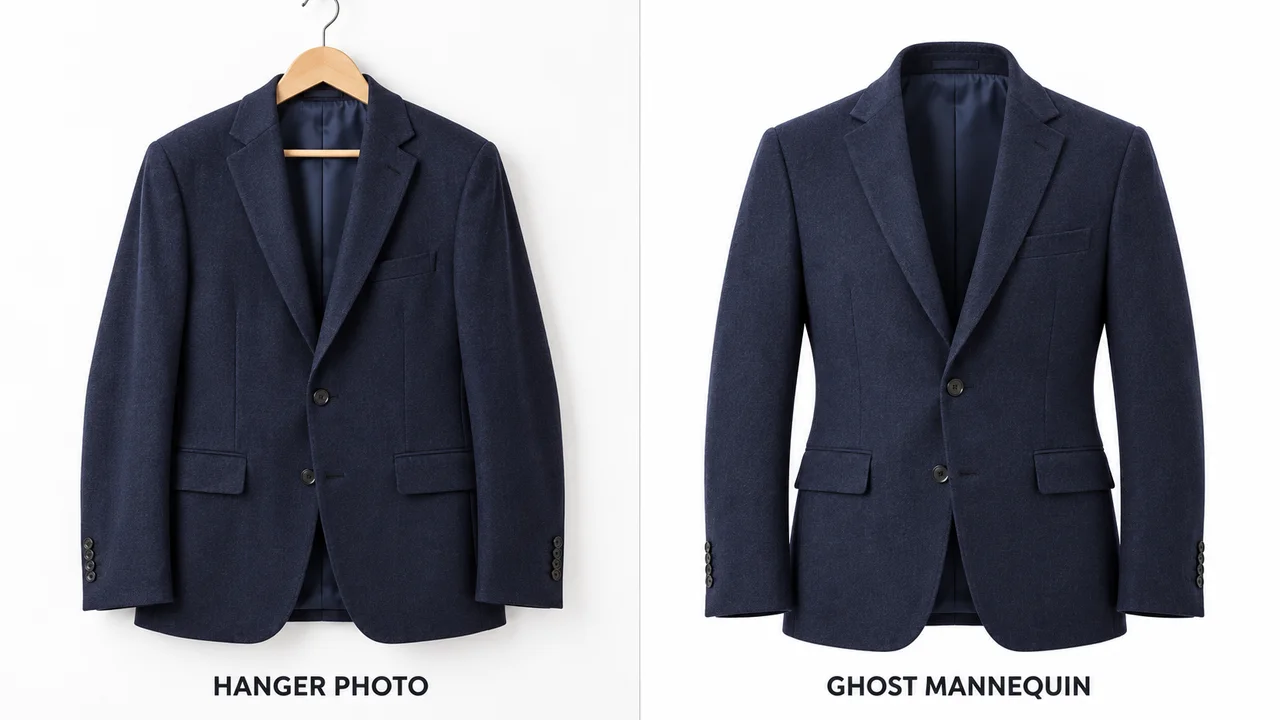
AI can work from several kinds of garment photo, but image quality and how much of the garment is visible affect the result. You can start from:
- A hanger photo
- A flat lay
- An on-model photo, where the model is removed
For the best result, use a photo with even lighting, a plain background and the whole garment in frame.
Where the Ghost Mannequin Effect Is Used
- Product pages: as the main image showing the full garment
- Marketplaces: ghost mannequin product photography provides a clean product image without a person.
- Catalogues: every product shown the same way
To compare it with flat lay and on-model photos, see ghost mannequin vs AI model photos.
Create the Ghost Mannequin Effect from One Photo
Upload a hanger, flat lay or on-model photo and get a ghost mannequin image with front, back and side views, with no mannequin, photographer or editing needed. Try our AI ghost mannequin generator.
Start free: 3 credits, no cardRelated Terms
On-Model Photography
Product photography showing a garment worn by a real or AI model.
PDP Images
The product photos and videos shown on an ecommerce product detail page.
Virtual Model
A computer-generated person used to show clothes online without a photoshoot.
Frequently Asked Questions
Is the ghost mannequin effect the same as an invisible mannequin?
Yes. Ghost mannequin, invisible mannequin and hollow man all describe the same effect: a garment shown in 3D with no visible body.
Why is it called a ghost mannequin?
Because the garment looks as if it's worn by an invisible person, a "ghost". The mannequin used to shape it is removed from the final photo.
Is there a free ghost mannequin app?
Yes. ApparelAI gives you 3 free credits with no credit card, enough for a first ghost mannequin view plus one additional view.
How much does a ghost mannequin app cost?
With ApparelAI, the first ghost mannequin view costs 2 credits and each additional view costs 1 credit: 2 credits for one view, 3 for two and 4 for three. Paid plans start at $9 a month for 50 credits.
Put Your Clothes on an AI Model
Upload a flat lay and get on-model photos in minutes.
Start free: 3 credits, no card