Fashion terms / On-Model Photography
What Is On-Model Photography?
On-model photography is product photography that shows a garment being worn by a model, either a real person or an AI-generated one. It shows shoppers the fit, drape and scale of clothing in a way that flat lays and mannequin photos can't.
How On-Model Photography Works
On-model photography, also called on-model product photography, puts the garment on a body so shoppers can see how it looks when worn.
There are two ways to create on-model photos.
- Traditional shoot: a brand books a model, a photographer and a studio, ships garment samples, and shoots each piece. Delivery times depend on the studio and editing schedule.
- AI on-model photography: a brand uploads a flat lay, hanger or mannequin photo of the garment, picks an AI model and a scene, and generates an on-model image without booking a studio.
Both show a garment on a body. An AI image is a visual representation: check its details against the actual product before publishing.
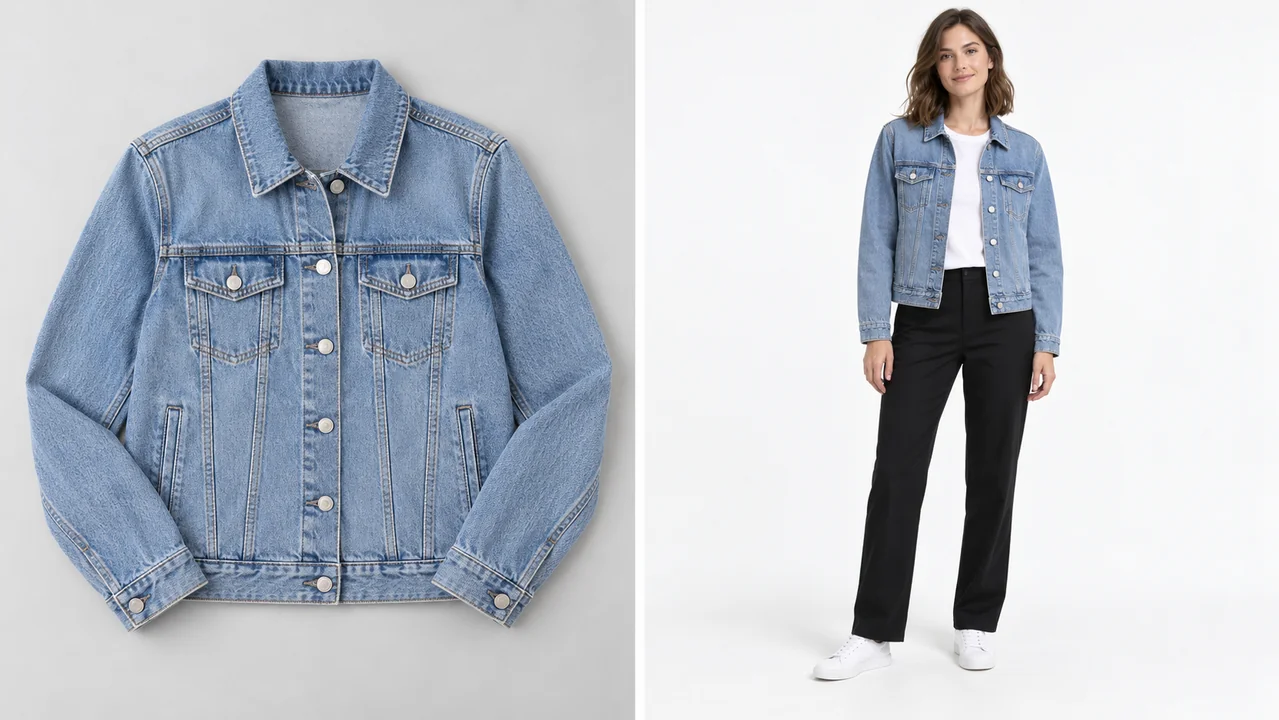
On-Model vs Flat Lay vs Ghost Mannequin
| Aspect | On-model | Flat lay | Ghost mannequin |
|---|---|---|---|
| What it shows | Garment worn by a person | Garment laid flat from above | Garment in 3D shape, with no visible body |
| Shows fit and drape | Shows appearance on a body; AI previews need checking | Limited; does not show how it hangs on a body | Partly |
| Shows scale on a body | Yes | No | No |
| Best for | Product pages, ads, social media | Detail shots, social posts | Product-only catalog images |
| Cost | Higher for traditional shoots; lower with AI | Usually low for simple setups | Varies with photography and editing |
Brands can use a mix: a ghost mannequin or flat lay to show product details, and on-model photos to show how the piece looks when worn. Check category-specific marketplace rules for main images.
Why Brands Use On-Model Photos
- Shoppers see the silhouette. A dress on a body shows length and drape more clearly than the same dress on a table.
- It shows scale. Shoppers can judge how big a bag is or where a hem falls.
- It gives context. People can picture themselves in the clothes, which helps them decide.
- It supports product pages. Fashion listings on Shopify, Amazon and other stores can include on-model images alongside product-only shots.
- It shows different bodies. Showing the same piece on different body types helps shoppers compare its appearance beyond a single sample-size model.
Common On-Model Shots
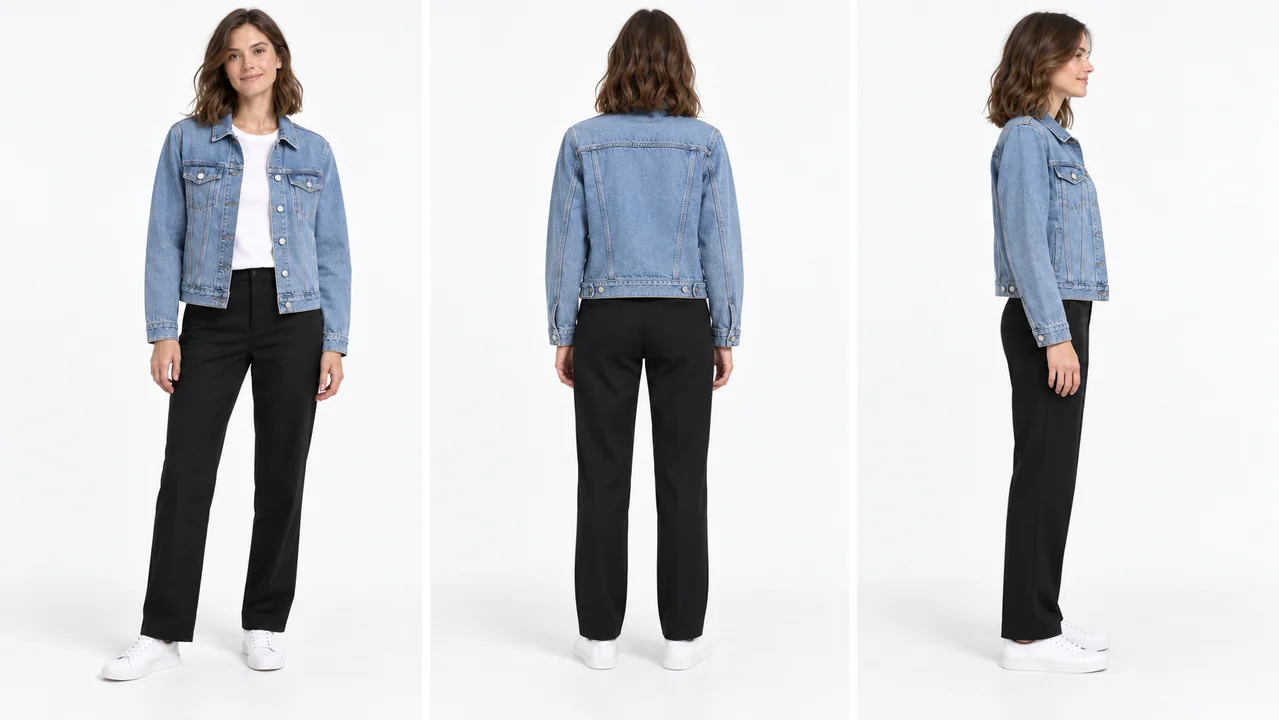
- Front view: the main on-model image, full body or three-quarter
- Back view: shows back details, fastenings and silhouette
- Side view: shows the silhouette and length
- Detail close-up: fabric, buttons, embroidery or print, while worn
- Lifestyle shot: the garment in a real setting, such as a street, café or beach
- Movement shot: walking or turning, to show how the fabric moves
How to Create On-Model Photos with AI
- Photograph the garment. Use a flat lay, hanger shot or mannequin photo in even light on a plain background.
- Choose a model and a scene. Pick an AI model or create your own brand model, then a studio, street or lifestyle background.
- Generate, review and download. Check the result against the garment, then export the sizes your store, marketplace or ad needs.
Tips for Better On-Model Photos
- Use the same model across a collection so the catalogue looks consistent.
- Show front, back and side for every key product.
- Keep lighting and backgrounds consistent within a collection.
- Show more than one body type for items where fit matters, alongside accurate measurements.
- Compare every image with the real garment before publishing so colours, proportions and details match.
Create On-Model Photos Without a Photoshoot
Upload a flat lay, hanger or mannequin photo and see your garment on an AI model with our AI fashion model generator. Use one brand model across your whole catalogue.
Start free: 3 credits, no cardRelated Terms
Virtual Model
A computer-generated person used to show clothes online without a photoshoot.
PDP Images
The product photos and videos shown on an ecommerce product detail page.
Ghost Mannequin Effect
A product photo technique that makes clothing look worn by an invisible body.
Frequently Asked Questions
What is an on-model photo?
An on-model photo is a picture of a garment being worn by a model, either a real person or an AI model, rather than laid flat or shown on a mannequin.
What does "on model" mean in fashion?
"On model" means a garment is shown being worn by a model, rather than laid flat, hung up or placed on a mannequin.
Is on-model photography better than flat lay?
They do different jobs. On-model photos show fit and how the garment looks when worn. Flat lays show details clearly and cost less. Most fashion product pages use both.
Do I need a real model for on-model photos?
No. AI on-model photography puts your garment on a realistic AI model from a flat lay, hanger or mannequin photo. You can also use photos of a real model your brand works with.
How much does on-model photography cost?
Traditional studio prices vary by scope. For example, Squareshot lists model shoots from $95 per image. AI generation uses credits, with the cost depending on your plan and output resolution. Compare the total cost of the views and revisions you need.
Put Your Clothes on an AI Model
Upload a flat lay and get on-model photos in minutes.
Start free: 3 credits, no card