Fashion terms / PDP Images
What Are PDP Images?
PDP images are the product photos shown on an ecommerce product detail page (PDP), the page for a single product. They help shoppers see, understand and decide to buy a product online. For clothing, they usually include a main image, on-model shots, other angles, close-ups and lifestyle photos.
What Does PDP Stand For?
PDP stands for product detail page, sometimes called a product display page. It is the page a shopper lands on after clicking a product in a store, marketplace or ad. It shows the product’s images, price, sizes, description and “Add to cart” button.
PDP images are the photos on that page; the broader product-media set can also include videos.
Types of PDP Images for Clothing
- Main (hero) image: the first image shoppers see, usually the full garment on a clean white or neutral background
- On-model images: the garment worn by a model, from the front, back and side
- Alternative angles: back, side and three-quarter views
- Detail close-ups: fabric texture, stitching, buttons, prints and labels
- Lifestyle images: the garment worn in a real setting, such as a street, café or beach
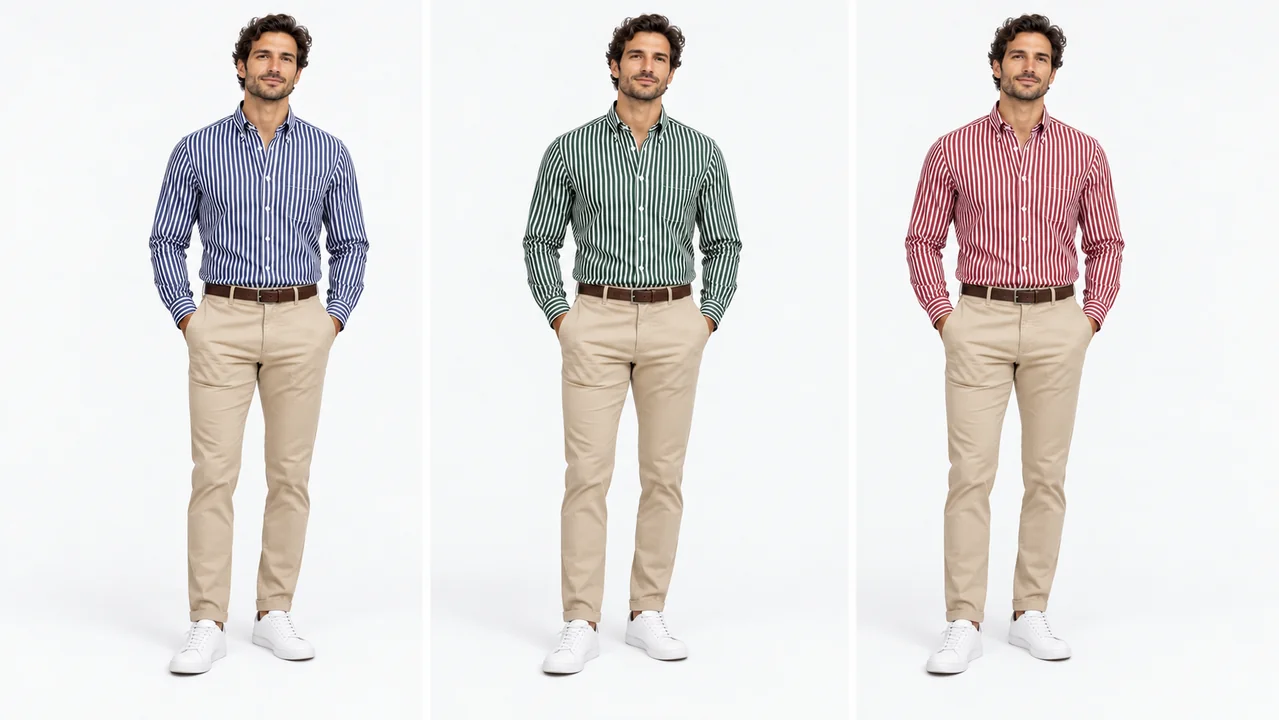
- Colour variant images: the same product in every available colour
- Size and fit images: verified model height and size, or the same piece on different body types
- Product video: a short clip showing movement and appearance
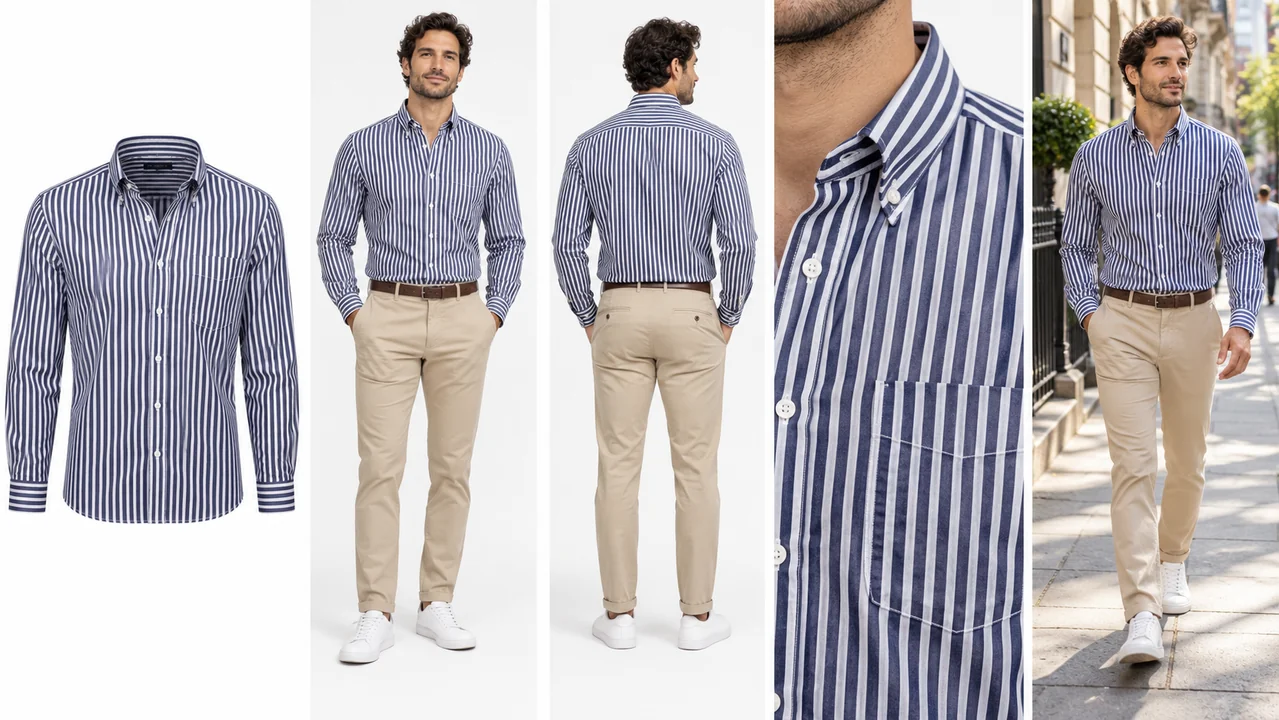
PDP Image Requirements by Platform
| Requirement | Shopify | Amazon (clothing) |
|---|---|---|
| Recommended size | 2048 × 2048 px for square product images | At least 1000 px on the longest side for zoom |
| Main image background | Choose a consistent background suited to your store | Pure white; check category-specific guidance |
| Main image rules | Match your theme and product presentation | Product should fill at least 85% of the frame; no added text, logos or watermarks |
| Image format | JPG, PNG or WebP | JPG preferred |
Shopify’s 2048 × 2048 px guidance is a recommendation for square images. Amazon’s 1000 px threshold enables zoom; it is not the minimum upload size. Amazon’s general image limits are 500–10,000 px on the longest side, and clothing categories can have additional requirements.
Sources: Shopify product media guidance and Amazon product image requirements.
Within a product gallery, use a consistent aspect ratio and framing. Export to the current requirements of each destination.
How Many Images Should a Product Page Have?
For a clothing product, a practical starting point is 4 to 8 useful images rather than repeated views. Choose the number based on the details shoppers need to see. A strong set can include:
- Main image on a clean background
- On-model front
- On-model back
- On-model side or three-quarter
- Detail close-up
- Lifestyle image
- Product video (optional)
What Does “PDP Views” Mean?
“PDP views” can mean two things:
- In analytics: the number of times shoppers opened a product detail page. It helps measure how many product-page visits occur before purchases.
- In photography: the different angles shown on a product page, such as front, back and side views.
How to Create PDP Images for Clothing with AI
- Photograph the garment as a flat lay, hanger or mannequin shot, in even light on a plain background.
- Create the main image on a clean background, or as a ghost mannequin shot where the marketplace allows it.
- Generate on-model images: front, back and side, on the same AI model. Supply references for details that the source image does not show.
- Add lifestyle shots and colour variants without a new photoshoot. Review each result against the real garment.
- Export at each platform’s size.
PDP Image Checklist
- Main image on a clean, consistent background
- Front, back and side on-model angles
- One detail close-up
- Same model and lighting across the collection
- Every available colour shown
- Consistent image aspect ratio
- High enough resolution for zoom
- Colours and details match the real product
Create a Full Set of PDP Images from One Photo
Upload a flat lay to create on-model shots, lifestyle images, colour variants and short videos. Add reference views where needed to preserve unseen details, then export marketplace-ready images for Shopify, Amazon and more.
Start free: 3 credits, no cardRelated Terms
On-Model Photography
Product photography showing a garment worn by a real or AI model.
Virtual Model
A computer-generated person used to show clothes online without a photoshoot.
Ghost Mannequin Effect
A product photo technique that makes clothing look worn by an invisible body.
Frequently Asked Questions
What is a PDP image?
A PDP image is a product photo on a product detail page, the page for a single product in an online store. The gallery includes the main image, extra angles, close-ups and lifestyle shots, and may also include product videos.
What does PDP mean in ecommerce and design?
In ecommerce and web design, PDP means product detail page: the page that shows one product with its images, price, description and buy button.
What is the main image on a PDP?
The main, or hero, image is the first photo shoppers see, both on the product page and in search results. For clothing, it's usually the full garment on a clean background or on a model.
Can I use AI images on product pages?
Yes. Many brands use AI on-model images on their product pages. Check each marketplace's current image rules, and make sure every image matches the real product.
Put Your Clothes on an AI Model
Upload a flat lay and get on-model photos in minutes.
Start free: 3 credits, no card