Photo to Fashion Video Generator
ApparelAI turns a photo from your photoshoot into a short fashion video, inside the same project. Pick one of 20 motion templates or describe your own idea, then choose portrait or landscape and a length from 3 to 30 seconds. Inside a project you can also make creator-style videos with voice, where the model talks to the camera and gives styling advice.
How it works
Three steps from the garment you have to the listing photo you need.
Pick a photo from your photoshoot
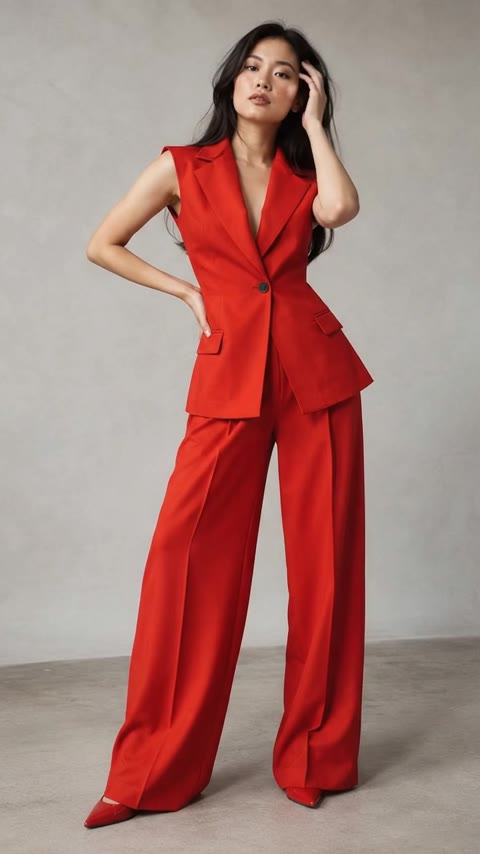
Open a project and choose any photo you have made. The garment, model and setting are already approved before motion is added. Add up to 2 extra angles to keep details accurate.
Choose a template or your own idea
Pick from 20 motions for product pages, Reels, campaigns or websites, each with a preview clip, or describe your own. Choose UGC Styling Tip for a creator-style video where the model talks to the camera.
Set format, length and sound
Portrait 9:16 for Reels, Stories and TikTok or Landscape 16:9 for websites and YouTube, 3 to 30 seconds, silent or with natural background sound. Every video is saved in Your videos, ready to download in HD.
Step-by-step guide in the ApparelAI docs: How to make videos from your photoshoot (opens in a new tab)
What you get
- Create Video from any photo in a photoshoot project
- 20 motion templates for product pages, Reels, campaigns and websites
- UGC Styling Tip: the model talks to the camera and gives styling advice
- Your own idea, or a note to adjust any template
- Portrait 9:16 or Landscape 16:9, from 3 to 30 seconds
- Optional natural background sound and HD downloads from Your videos
Frequently asked questions
Do I need to shoot video separately?
No. The video is made from a photoshoot photo you already have, so there is no separate shoot, no videographer and no second round of garment handling.
What kinds of motion are available?
There are 20 motion templates in four groups: product pages (such as Fit check, Turnaround and Fabric in motion), Reels and social media (such as Walk-up, Twirl and Street stride), campaigns and lookbooks (such as Campaign walk, Wind machine and Slow orbit) and websites (Website hero and Cinemagraph). You can also write your own idea, or add a note to adjust any template.
Can I make UGC-style creator content?
Yes. Inside a project, the UGC Styling Tip template makes a creator-style video where the model talks to the camera and gives styling advice about the outfit. It is the format that performs on Reels and Shorts, without booking a creator.
Can I make a video from a photo I did not create in ApparelAI?
Yes. AI Image to Video works with any fashion or product photo you upload, with the same motion templates, formats and lengths. Creator-style videos with voice are made from photoshoots inside a project.
Which garment types work best?
Motion suits anything with drape and movement, which is why sarees, lehengas, dupattas and flowing dresses tend to look strongest. Structured pieces work well with calmer templates like Slow orbit, Detail reveal or Seamless loop.
Where should I use these videos?
Marketplace listing videos, product pages, Instagram Reels, YouTube Shorts, paid social and website banners. Listing videos in particular are one of the few levers that lift conversion without buying more traffic.
Further reading
Building a Consistent AI Brand Model
A catalog where every listing shows a different face reads as a reseller. How to create consistent characters with AI and use one brand model all season.
GuidePhone Photos of Clothes That AI Can Actually Use
Your phone is good enough. The input rules that decide whether an AI photoshoot comes back accurate: flattening, lighting, angle, white balance and framing.
Turn a photo into a video today
Upload one garment photo and see the result before you decide anything. 3 free credits, no credit card.
Start freeTools that pair with this
AI Image to Video
Turn one fashion or product photo into a ready-to-post video. 20 motion templates or your own idea.
AI Outfit Builder
Combine a top + bottom (+ optional shoes, accessories, model) into one fully-styled photo.
AI Background Changer
Swap the backdrop for any scene. Describe it in words or upload a reference photo - both modes work.
Other solutions
Saree Photoshoots
Body, pallu and blouse uploaded separately, rendered as one on-model saree shoot.
Ghost Mannequin
Hollow-mannequin product shots from a hanger or on-model photo, front, back and side.
Indian Ethnic Wear
Salwar suits, kurtis and dupattas, with each piece uploaded separately and styled into one shoot.