How to Increase Sales on Myntra: A Seller Playbook
Myntra orders flat? The funnel math behind Myntra sales, why product imagery moves it more than ad spend, and how to fix it without a photoshoot budget.
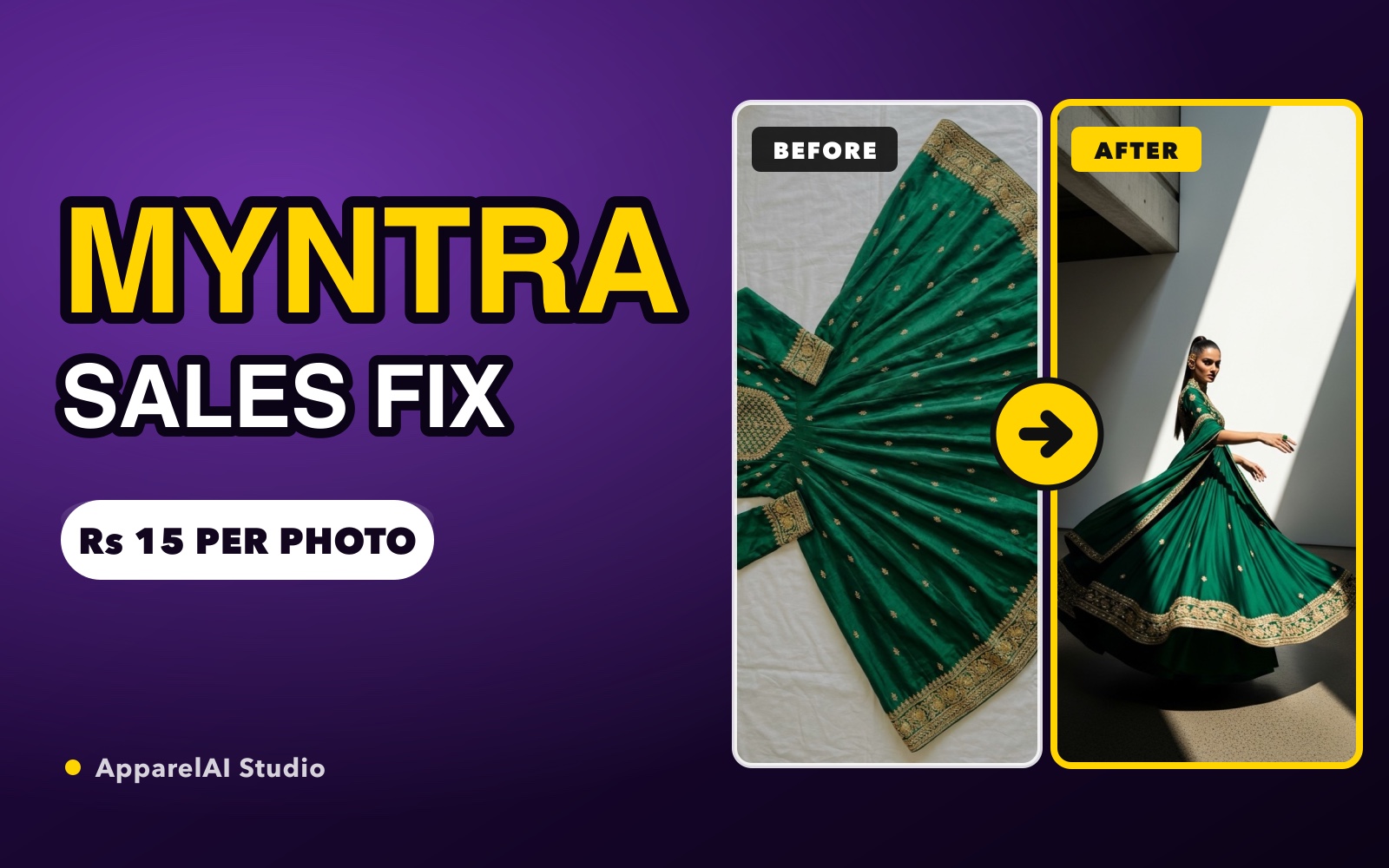
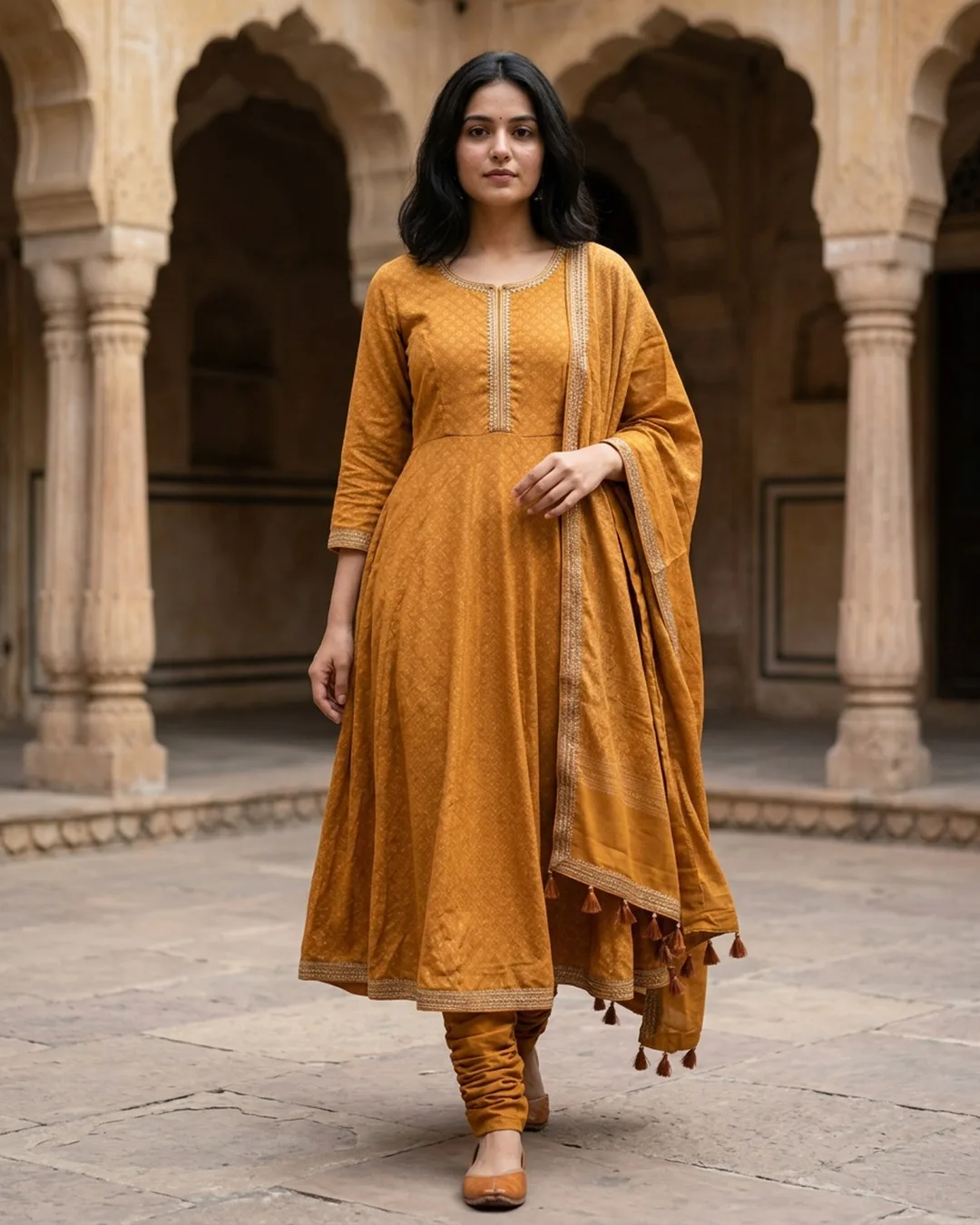
Your catalog is live on Myntra. QC passed, products are indexed, and you are getting some impressions. But orders are flat, and the advice you keep hearing is "run more ads."
Sometimes that is right. Usually it is not. Ads buy you impressions, and impressions are rarely the part of the funnel that is broken. Here is how to find the part that actually is.
The four numbers behind every Myntra sale
Everything you earn on Myntra comes down to one chain:
Impressions x click-through rate x conversion rate x average order value
Break the chain into steps and it gets obvious where the money leaks:
| Stage | What controls it | What most sellers do |
|---|---|---|
| Impressions | Ads, catalog size, keywords, stock health | Spend here first |
| Click-through | The thumbnail image, price, discount badge | Ignore it |
| Conversion | Image set, size clarity, reviews, fit confidence | Ignore it |
| Order value | Assortment, bundling, styling cues | Ignore it |
Sellers pour budget into the first row and leave the middle two untouched. That is backwards, because the middle two are multipliers. Double your conversion rate and every rupee of ad spend you have ever paid for suddenly returns twice as much.
Why your thumbnail is doing most of the work
On Myntra, buyers browse a grid on a phone. Your product is a small rectangle competing with dozens of others in a single scroll. The decision to tap happens fast, and at that size the shopper is not reading your title. They are reacting to one image.
This is why the same garment, listed at the same price by two sellers, can see wildly different click-through rates. One has a flat lay on a white background. The other has a model wearing it, styled, well lit, shot at the right crop. The second one wins the tap almost every time.
Flat lays and ghost mannequins are not useless. They are excellent as supporting images and they satisfy QC. But as the first image in a fashion grid, they cost you clicks, because a shopper cannot picture themselves in a garment lying flat on a table.
Fix conversion before you increase ad spend
Run the numbers before you raise your budget.
Say you spend Rs 20,000 a month on Product Listing Ads and convert at 1.2%. If you push spend to Rs 40,000 without touching the listing, you pay twice as much for the same conversion rate. Your cost per order does not improve at all.
Now take that same Rs 20,000 budget and lift conversion from 1.2% to 2%. You have increased orders by roughly 65% on flat spend, and your ad efficiency improves at the same time, because Myntra's ranking rewards listings that convert. Better conversion feeds better organic placement, which brings impressions you did not pay for.
The order of operations matters: fix the listing, then scale the spend.
What actually moves conversion on Myntra
Show the garment on a body. Fit and drape are the two things a fashion buyer cannot judge from a flat photo. On-model imagery answers both instantly.
Show more than one body type. A shopper who cannot tell whether a garment will work for them usually leaves. Showing the same product on different body types removes that doubt and, as a side effect, cuts the size-related returns that eat your margin.
Give the fit details in the image set, not just the size chart. Model height and the size they are wearing, fabric stretch, transparency, and lining. Sellers who spell these out consistently report meaningfully lower return rates, and on Myntra returns hit both your payout and your seller score.
Fill every image slot. Myntra allows a generous number of images per listing and most sellers use four. Front, back, side, fabric close-up, detail shot, and a styled full-length shot is a complete set. Each additional useful image is another reason not to bounce.
Use short styling video where you can. Myntra Minis and similar short-form formats are pushed hard by the platform, and sellers using them report solid conversion lifts. If you already have on-model stills, turning them into a short clip is a small extra step.
The problem: this is expensive, and it repeats
Everything above is standard advice. The reason most sellers do not act on it is cost.
A professional model shoot in India runs roughly Rs 300 to Rs 1,500 per garment depending on volume. For a 200-product catalog at six images each, that is Rs 60,000 to Rs 3,00,000. Then the season turns, you refresh the catalog, and you pay again. Add reshoots when QC rejects something and the number climbs further.
For a seller working on marketplace margins, that math kills the project before it starts. So the catalog stays on flat lays, conversion stays low, and the ad budget keeps subsidising a listing that was never built to convert.
Doing it without a photoshoot budget
This is where AI photography changed the equation for marketplace sellers. The workflow is straightforward:
- Shoot each garment once as a clean flat lay or hanger shot on your phone, with even lighting
- Upload it and generate on-model images at Myntra's required 3:4 crop on a white background
- Generate the same garment on a second and third body type for the size-confidence shots
- Add fabric and detail close-ups from your original photography
- Review the output for artifacts around hands, necklines, and hems before uploading
Cost lands under Rs 20 per image instead of several hundred rupees per garment, and turnaround is minutes rather than the two to three weeks a studio booking takes. For a 200-product catalog that is the difference between a Rs 1,00,000 line item and a few thousand rupees.
The AI fashion photo toolkit also covers the supporting pieces: an AI ghost mannequin generator for the invisible-mannequin shots Myntra accepts, an AI background remover for the pure-white requirement, and an AI color variation generator so a garment listed in six colors does not need six separate shoots.
If you want the exact dimensions, background rules, and QC criteria, we covered those separately in the Myntra photography guidelines guide.
Getting ready for sale events
Myntra's big sale periods concentrate a huge share of annual volume into a few days. Two things decide whether you benefit:
Your listing has to be conversion-ready before the event starts. Traffic during a sale is expensive and finite. Sending it to a weak image set wastes the one window where demand comes to you.
Your inventory has to hold. Going out of stock mid-event does more damage than missing the event, because it resets the ranking momentum you just paid to build.
Refresh your top 50 listings ahead of each event rather than the whole catalog. The tail rarely justifies the effort.
A practical 30-day plan
- Pull your last 90 days of data and rank products by impressions
- Take the top 20 products with high impressions and low conversion. These are your leaks
- Rebuild the image set for those 20 first: on-model hero, two body types, full image slots, fit details
- Hold ad spend flat for two weeks and measure conversion change
- Once conversion moves, scale spend on the winners only
- Roll the same treatment down your catalog in batches of 20
Measuring before you scale is the whole point. If you change images and budget in the same week, you will never know which one worked.
Bottom line
Myntra sales are not usually limited by traffic. They are limited by what happens after the impression, and that is decided almost entirely by your imagery. The sellers growing fastest are not the ones with the biggest ad budgets. They are the ones who made their listings worth clicking, then scaled spend against a funnel that converts. AI photography is what makes that fix affordable at catalog scale instead of a one-time luxury for your top ten products.
Ready to try AI product photography?
Start with 3 free images. No credit card required.
Start Free Photoshoot