AI Saree Photoshoot: Getting the Pallu and Blouse Right
Why a single flat lay makes an AI saree photoshoot invent your pallu and guess your blouse colour, and what changes when the parts go in separately.
An AI saree photoshoot fails in a specific, predictable way, and it is worth understanding why before you blame the tool.
Ask an AI photoshoot tool to put a kurti on a model and it has one job: take one garment, one surface, one set of colours, and drape it on a body.
Ask it to do a saree from a single photo and it has a much harder job, and a lot of that job is guessing.
A saree is several garments in a trench coat
The reason saree generation is the hardest problem in AI fashion photography is structural, not cosmetic.
Five and a half to nine yards of fabric get wrapped, pleated and thrown over a shoulder. In the finished drape a buyer is looking at three regions that are frequently different from each other:
The body. The main run of fabric. Sets the colour, the weave, the print, the ground the whole garment reads as.
The pallu. The decorative end thrown over the shoulder. On most good sarees this is the densest, most ornate part of the piece, and structurally it often looks nothing like the body: heavier zari, a different motif, sometimes a different colour family entirely.
The blouse piece. Attached to the saree as an unstitched length. Frequently a contrast colour. In the final image it is a completely separate visible garment.
Now consider what a single folded flat lay actually shows. Usually the body, some of the border, and if you are lucky a corner of the pallu. The blouse piece is folded in and looks like more body fabric.
What the AI does with the gaps
When information is missing, a generative model does not stop. It fills in what is statistically plausible. Which produces exactly the failures saree sellers keep reporting:
Invented pallu. The pallu is the part of the drape a buyer looks at first, and it is the part most likely to be missing from a folded flat lay. So the model generates a pallu that suits the body fabric. It looks convincing. It is not your saree. For a Banarasi or Kanjeevaram, where the pallu is most of the reason for the price, this is not a cosmetic problem, it is a wrong product image.
Wrong blouse colour. Fold an unstitched blouse piece into a saree and it reads as more body fabric. The model then renders a matching blouse when yours is contrast, or picks a shade close to the body. Buyers notice, and blouse mismatch is a return reason.
Border discontinuity. If your source photo crops the border, the model reconstructs it, and reconstructed borders drift: pattern changes halfway along the run, or the temple motif spacing goes irregular.
None of this is the model failing. It is the model being asked to produce three garments' worth of detail from one garment's worth of input.
What changes with separate inputs
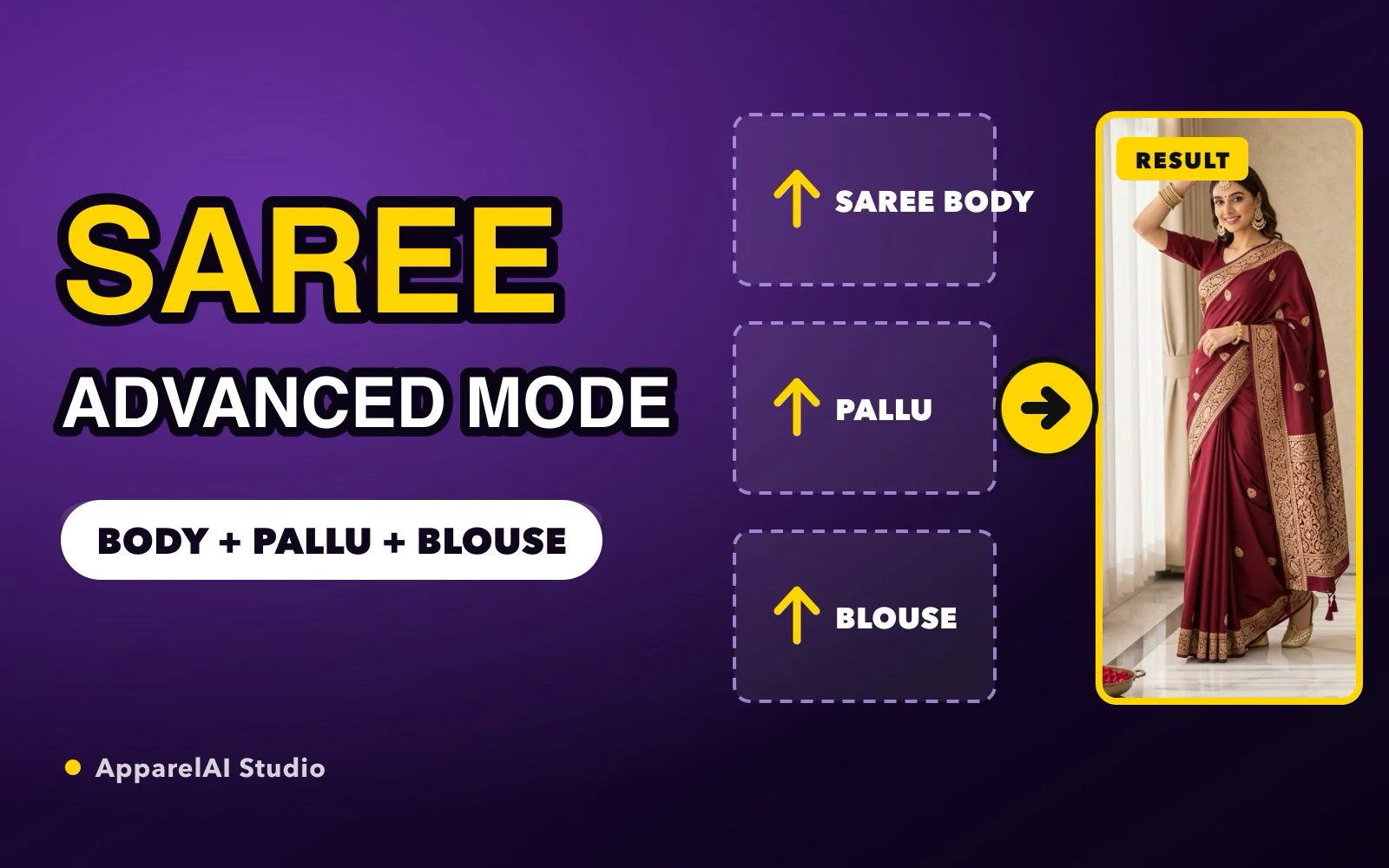
Saree Element Uploads take the saree apart at the input stage instead of asking the model to reassemble it from one image:
- •Saree Body (required): the main fabric, the ground colour, the weave
- •Pallu: the decorative end piece, shot as its own frame
- •Blouse: the blouse piece, shot flat and separately
Each part gets its own reference. The pallu the model renders over the shoulder is the pallu you photographed. The blouse renders in the fabric you actually ship. The border has a real reference to follow along its whole run.
The difference is not that the images get prettier. It is that they get accurate, and accuracy is what determines whether the product that arrives matches the photo that sold it.
When you need it and when you do not
Be honest about your own catalog. Separate inputs matter in proportion to how different your saree's parts are from each other.
Use all three inputs when:
- •The pallu has a distinct motif, heavy zari, or a different colour from the body
- •The blouse piece is a contrast colour or a different fabric
- •The saree is a woven silk where border and pallu carry the value: Kanjeevaram, Banarasi, Paithani, Patola
- •The piece is expensive enough that a "not as pictured" return really hurts
Body alone is usually fine when:
- •Plain or lightly printed cotton with a thin matching border
- •Uniform prints where the pallu is the same fabric as the body
- •Low price points where the buyer expectation is set accordingly
There is no prize for uploading three images of a saree that is the same fabric end to end.
Shooting the three inputs
The inputs are only as good as the photography, so keep it simple and repeatable.
Body: steamed, flat, square to the camera, a full border run visible, even diffused light.
Pallu: its own frame, full motif visible, same lighting as the body so the two match in tone. Do not shoot the pallu in different light than the body or the drape will look like two different sarees stitched together.
Blouse: flat and separate, colour-accurate. This is the input that takes ten seconds and prevents the most common mismatch.
For heavy woven sarees, a border close-up is worth adding as well.
Set your white balance once at the start of a session and shoot every saree the same way. Consistency in the inputs is what makes the outputs consistent across a catalog.
In the app, the three photos go into Saree Mode's separate upload slots; the saree photoshoot guide in the ApparelAI docs walks through each step.
The same inputs produce the rest of the listing
Once the body, pallu and blouse are in, they are not only feeding the on-model shot. They are the source for the supporting images a saree listing needs:
- •Border Detail and Embroidery Detail for the ornamentation buyers inspect
- •Pallu Flat Lay showing the full pallu design laid out
- •Fabric Swatch for texture and weave
- •Blouse Flat Lay and Blouse Front & Back, the latter rendering the blouse on an invisible mannequin so buyers see its actual shape
- •Styled Flat Lay for an editorial top-down arrangement
This is where the separate inputs pay off twice. A pallu flat lay generated from a real pallu photograph is your pallu. Generated from a body-only upload, it would be a plausible invention, and the detail images are precisely the ones buyers scrutinise before committing.
Color Variant extends the same logic across colourways: the same saree photo regenerated in a different colour rather than a fresh shoot per variant.
What it still will not do
Worth being straight about the limits.
Separate inputs replace guessing with reference, and the generated detail shots cover what a standard marketplace listing needs. What they do not replace is macro photography of a genuinely premium handwoven textile. A buyer spending Rs 40,000 on a Banarasi will zoom to full resolution to judge the zari, and at that level photographs of the actual cloth still carry the sale.
The split that holds up: separate inputs and generated product shots for the listing set, your own camera for the pieces where craftsmanship is the reason for the price.
Bottom line
Single-image AI saree generation asks a model to invent two thirds of the garment and hope. Giving it the body, the pallu and the blouse separately replaces guessing with reference, which is the whole difference between an image that looks like a saree and an image that looks like your saree. For the end-to-end process around this, see raw saree photos to a finished photoshoot, and for fabric-by-fabric guidance see the AI saree photography guide.
Ready to try AI product photography?
Start with 3 free images. No credit card required.
Start Free Photoshoot