Best AI Product Photography Tools for Shopify Sellers
A practical comparison of AI tools Shopify store owners can use for product photography in 2026, based on features, pricing, and real results.
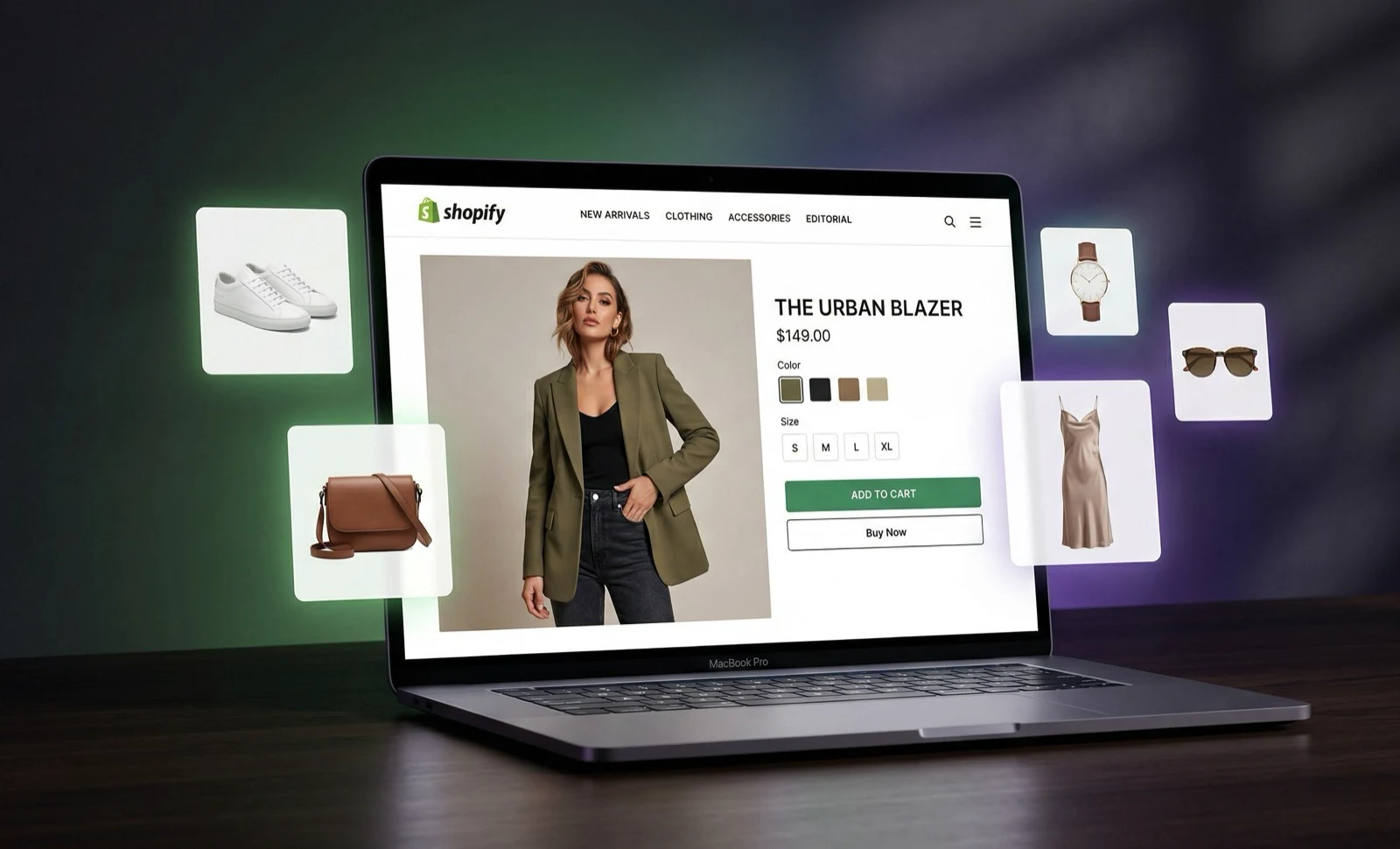
If you run a Shopify fashion store, you've probably stared at a product listing page and thought: "These photos need to be better." Professional model photography is the obvious answer, but when you're managing 50, 100, or 500+ SKUs on a small business budget, the numbers don't add up.
That's where AI product photography tools come in. The market has matured quickly over the past year, and there are now several legitimate options. Here's an honest look at what's available and what actually matters for Shopify sellers.
What to look for in an AI photography tool
Before comparing specific tools, here's what actually matters for a Shopify store owner:
Output quality that doesn't scream "AI." Your shoppers shouldn't be able to tell the difference. If images look uncanny or artificial, they hurt more than they help.
Model consistency. This is huge for fashion. If every product features a different-looking model, your store loses visual cohesion. Look for tools that offer persistent model systems.
Batch processing. If you can only generate one image at a time, scaling to hundreds of products becomes its own full-time job.
Shopify integration. Ideally, the tool connects directly to your store so you can pull products and push images without manual file management.
Body type diversity. Showing garments on different body types isn't just ethical - it's good business. Stores with size-inclusive imagery see measurable reductions in returns.
The current landscape
Background removal and enhancement tools
Photoroom and Pixelcut are solid for background removal and basic product photo enhancement. They excel at creating clean, professional-looking product images from phone photos.
Best for: Solo sellers who need quick background removal and basic enhancement. Not ideal for on-model imagery.
AI model generators
ApparelAI Studio, Botika, and ZMO.AI focus specifically on generating on-model fashion photography. They take your garment photo and place it on an AI-generated model.
Best for: Fashion brands that need model-quality imagery at scale.
General AI image tools
Midjourney, DALL-E, and similar can generate fashion-adjacent imagery but aren't built for product photography. They lack the precision needed for accurate garment representation.
Best for: Marketing and social media content. Not reliable for product listings where accuracy matters.
What matters specifically for Shopify
Speed of getting images into your store
The workflow gap between tools is significant. Some offer direct Shopify integration - pull your product catalog, generate images, and push them back to the correct product listings without downloading, renaming, and re-uploading files manually.
Others require you to download images, organize them by product, and upload through Shopify's media manager. For 10 products, that's fine. For 200, it's a real bottleneck.
Image specifications
Shopify recommends 2048x2048px product images. Make sure whatever tool you use generates at that resolution or higher. Some tools output at lower resolutions that look fine on mobile but pixelated on desktop.
Also check: do the images comply with Shopify's CDN requirements? Are they in a web-friendly format (WebP, JPEG)? Do they maintain quality after Shopify's automatic compression?
Multi-variant support
If you sell the same t-shirt in six colors, can you efficiently generate model shots for each variant? Some tools handle color variations well; others require you to photograph and upload each color separately.
Mobile commerce considerations
Over 70% of Shopify traffic is mobile. Your AI-generated images need to look good at small sizes, in square crop formats, and with pinch-to-zoom functionality. High-detail images that look amazing on desktop but lose clarity on mobile miss the majority of your audience.
Practical recommendations by store size
Just starting out (under 50 SKUs)
Start with a free tier to test the waters. Upload your bestsellers first and compare performance metrics against your existing photos. Key metric: click-through rate from collection pages.
Most AI tools offer 5-10 free images per month, which is enough to validate the approach before committing.
Growing store (50-200 SKUs)
This is where a paid subscription makes sense. Look for:
- •Batch generation to handle new products efficiently
- •A persistent model system for brand consistency
- •Direct Shopify integration to save hours of manual work
Monthly costs in the $12-50 range are typical and pay for themselves quickly when compared to even one traditional photoshoot.
Established brand (200+ SKUs)
At this scale, you likely need:
- •High-volume batch processing (100+ images at once)
- •API access for custom workflow integration
- •Video generation for social content
Agency plans or custom pricing apply here, but the per-image cost drops significantly at volume.
Making the switch: a practical timeline
Week 1: Sign up for free tiers of 2-3 tools. Upload 10 products to each.
Week 2: Compare results. Look at image quality, ease of use, and time spent. Pick your tool.
Week 3: Generate model shots for your top 20% products (the ones that drive 80% of revenue). Update those listings.
Week 4: Monitor metrics. Compare conversion rates, click-through rates, and return rates before and after.
Month 2 onward: Expand to remaining catalog. Set up batch workflows for new product launches.
The honest truth
AI product photography isn't perfect for every situation. Very detailed garments with complex embroidery, heavily structured pieces, and certain fabric types can challenge current AI. You'll get best results with standard fashion categories: t-shirts, dresses, jeans, casual wear, activewear, and basic outerwear.
But for the majority of fashion products on Shopify stores, AI-generated model shots are now good enough that shoppers can't tell the difference - and significantly better than flat lays and mannequin shots at driving conversions.
The math is simple: if better product photos sell more products, and AI gives you better photos at 2% of the traditional cost, it's worth trying.
Ready to try AI product photography?
Start with 3 free images. No credit card required.
Start Free Photoshoot