Create Fashion Reels with Seedance 2.0
Turn your product photos into stunning fashion reels using Seedance 2.0. Step-by-step tutorial for creating Instagram Reels, TikTok, and product page videos.
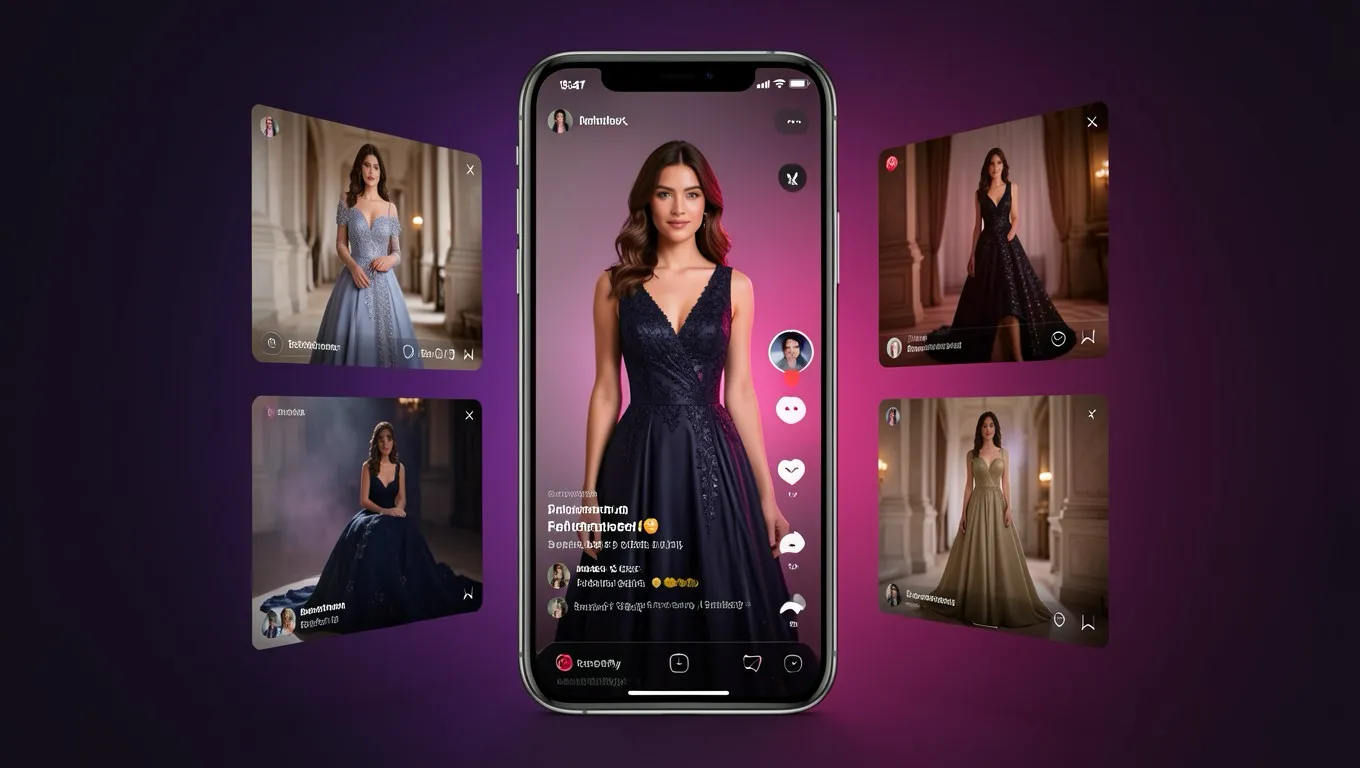
Fashion Video Generation
Seedance 2.0 generating fashion content from image inputs.
Example: Lifestyle Reel
AI-generated lifestyle fashion reel with camera movement and audio.
Example: Product Video
Product showcase video generated from a single photo.
Static product photos are table stakes. Every fashion brand has them. Video is what stops the scroll on Instagram, gets clicks on TikTok, and keeps shoppers on your product page long enough to hit "add to cart."
The problem has always been cost. A single product reel with a videographer runs $200 to 500. Multiply that by 50 products and you're looking at $10,000 to 25,000 for social content that has a shelf life of weeks.
Seedance 2.0 changes that math completely. Here's how to use it to create fashion reels that look like they came from a production studio.
What you need to get started
Your product photos. The same photos you already have for your ecommerce store. Flat lays, on-model shots, or even mannequin photos. Higher resolution is better (minimum 768px on the shortest side).
A Dreamina account. Go to dreamina.capcut.com and sign up. You get 260 free credits on signup, enough for 5 to 8 short videos to test the workflow.
A clear idea of what you want. Before opening the tool, decide: what platform is this for (Instagram Reels 9:16, TikTok 9:16, product page 16:9)? What mood (energetic, elegant, minimal)? What camera movement (slow orbit, tracking walk, detail close-up)?
Step 1: Prepare your product images
The quality of your input directly determines your output quality. For fashion reels:
For on-model videos: Upload your best on-model product photo. The AI will animate the model, adding subtle movement, fabric flow, and body motion. A clean, high-resolution on-model shot gives the best results.
For product showcase videos: Upload 3 to 5 images of the same product from different angles (front, back, side, detail). Seedance can use multiple images to create a rotating showcase or multi-angle reveal.
For lifestyle context: Upload your product photo plus a reference image of the environment you want (beach, urban street, studio). The AI composites them together with natural lighting and camera movement.
Image tips that matter:
- •Remove busy backgrounds before uploading (or use photos with clean backgrounds)
- •Ensure the garment is wrinkle-free and well-lit
- •For prints and patterns, make sure they're sharp and in focus
- •Upload at the highest resolution you have
Step 2: Choose your aspect ratio
This matters more than you think. Different platforms need different ratios:
- •Instagram Reels / TikTok: 9:16 (vertical). This is where most fashion video views happen.
- •Product page videos: 16:9 (horizontal) or 1:1 (square). Depends on your website layout.
- •Instagram Feed: 4:5 or 1:1. The tall format takes more screen real estate.
- •YouTube Shorts: 9:16 (vertical).
Set the aspect ratio before generating. Changing it after means regenerating from scratch.
Step 3: Write your prompt
This is where most people struggle. Seedance understands cinematographic language, so use it. Here are proven prompt templates for fashion:
The runway walk
Prompt: "Tracking shot following a model wearing @Product walking confidently on a clean white runway, camera follows from the right side, soft studio lighting, fashion show atmosphere, slow motion fabric movement, 10 seconds"
The product reveal
Prompt: "Close-up of @Product on a minimal pedestal, camera slowly orbits 180 degrees showing all angles, soft gradient background transitioning from white to light purple, gentle spotlight highlighting fabric texture, elegant and minimal, 8 seconds"
The lifestyle reel
Prompt: "Young woman wearing @Product walking through a sunlit European cafe street, morning golden hour light, camera tracking from front, shallow depth of field, candid and natural movement, urban lifestyle aesthetic, 12 seconds"
The fabric detail
Prompt: "Extreme close-up of @Product fabric texture, camera slowly panning across the surface showing weave and detail, rack focus from close-up to full garment view, soft directional lighting creating texture shadows, 6 seconds"
The seasonal campaign
Prompt: "Model wearing @Product standing in autumn park with golden falling leaves, gentle wind moving hair and fabric, camera dolly zoom from medium to close-up, warm afternoon lighting, cinematic color grading, 10 seconds"
Step 4: Configure and generate
Duration: For social content, 8 to 12 seconds is the sweet spot. Short enough to hold attention, long enough to show the product properly.
Resolution: Use 1080p for social media. Only use 2K if the video will be displayed on large screens (website hero sections, digital signage).
With audio: For social reels, generate with music. It saves a post-production step. For product pages, you might want video-only and add your own brand audio.
Hit generate and wait roughly 30 seconds for your video.
Step 5: Review and iterate
Your first generation might not be perfect. Common issues and fixes:
Problem: Movement looks unnatural.
Fix: Add more specific motion direction in your prompt. Instead of "model walking," try "model walking with confident stride, arms swinging naturally, hair moving with breeze."
Problem: Fabric doesn't flow right.
Fix: Reference a real fashion video. Upload a short clip of fabric movement you like as a motion reference, and Seedance will replicate that movement quality.
Problem: Camera movement is too fast/slow.
Fix: Add timing cues. "Slow dolly in over 8 seconds" or "quick tracking shot, 4 seconds." Explicit timing gives you more control.
Problem: Background doesn't match the mood.
Fix: Be more specific about the environment. "Minimalist Scandinavian studio with natural light from large window on the left" works better than just "studio background."
Most fashion brands get usable results within 2 to 3 generations per product. That's still under $10 per final video.
Creating a batch of reels for your catalog
Once you've figured out what works for your brand, here's how to scale:
Create a prompt template. Write one master prompt that works for your brand aesthetic. Only change the @Product reference for each garment.
Maintain consistency. If you're creating a series of reels for a collection, use the same camera movement, lighting description, and style across all products. This creates a cohesive visual identity in your feed.
Batch your work. Generate all videos in one session. Most fashion brands find that 10 to 15 reels per session is efficient. Upload all product photos first, then generate sequentially with the same prompt template.
Generate platform variants. For each product, generate one 9:16 vertical (Instagram/TikTok) and one 16:9 horizontal (website/YouTube) from the same source photos.
Real cost comparison
For a fashion brand creating 20 product reels per month:
| Approach | Cost | Time |
|---|---|---|
| Traditional videographer | $4,000 to 10,000/month | 2 to 3 weeks |
| Freelance video editor | $2,000 to 4,000/month | 1 to 2 weeks |
| Seedance 2.0 | $40 to 80/month | 1 afternoon |
| Free tools (CapCut templates) | Free | 2 to 3 days |
The quality gap between Seedance and traditional video production has narrowed to the point where most viewers cannot tell the difference in a social media context. On a phone screen, scrolling through Instagram, a Seedance-generated reel looks indistinguishable from one shot on a Canon R5.
Tips specifically for fashion brands
Show fabric movement. The biggest advantage of video over photos for fashion is showing how fabric moves. Include motion in every prompt: wind, walking, turning. Static poses defeat the purpose of video.
Use the multi-image input. Upload front, back, and detail shots of the same garment. Seedance can create a video that transitions between these views, giving shoppers a 360-degree experience without a turntable setup.
Match the energy to the product. A minimal luxury dress needs slow, elegant camera movements. Streetwear needs quick cuts and urban energy. Activewear needs dynamic, athletic movement. Let the product personality drive the video style.
Add music for social, skip it for product pages. Social media videos with music get significantly more engagement. Product page videos work better without music (shoppers often browse with sound off and find auto-playing music annoying).
Test with your bestsellers first. Don't generate videos for your entire catalog on day one. Start with your top 10 selling products, post the reels, and measure engagement. Once you see what works, expand to the full catalog.
The bigger picture
Fashion brands adding video to their product pages see a 150%+ conversion improvement compared to static images alone. For social media, video content gets 2 to 3x the engagement of photo posts.
The barrier was always production cost. Seedance 2.0 removes that barrier. A solo entrepreneur running a Shopify store can now create the same quality of video content that previously required a full production team.
The brands that move first on AI video will build a library of content while their competitors are still sending RFPs to production agencies.
Ready to try AI product photography?
Start with 3 free images. No credit card required.
Start Free Photoshoot