Introduction
Modelia is one of the closest direct competitors to ApparelAI in the generative fashion technology space. Both platforms target apparel brands, fashion retailers, and e-commerce merchants with core capabilities that include persistent AI model identities, direct Shopify integration, and flat-lay to on-model photoshoot generation.
Because both tools address the same fundamental objective of replacing expensive physical fashion photoshoots with virtual AI models, apparel founders and catalogue managers frequently search for a comprehensive Modelia alternative to evaluate which platform provides better value, greater creative flexibility, and superior image quality.
This detailed comparison breaks down the key technical and workflow differences between Modelia and ApparelAI. We examine custom pose controls, background extraction flexibility, ethnic garment drape handling, standalone fashion tools, and pricing economics to help you determine which AI fashion studio best fits your brand.
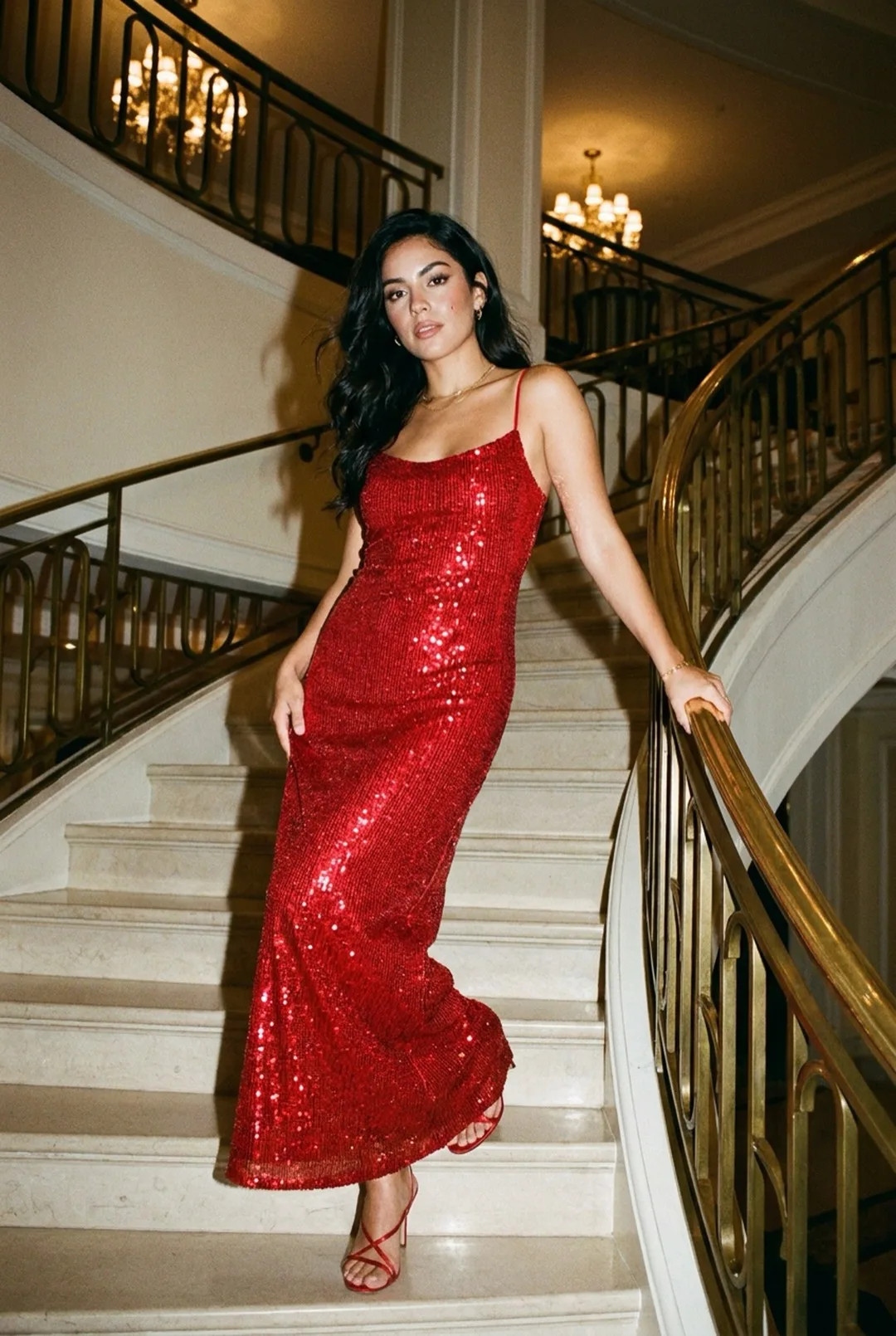
Why People Look for a Modelia Alternative
- Cost per image: Modelia's Creator plan costs $30 a month for 150 credits, about 50 images ($0.60 each). ApparelAI starts at $9 a month for 50 credits ($0.18 each).
- More than model photos: ghost mannequin shots, color variants and an outfit builder are in the same tool.
- Garment range: sarees, suit sets and dupattas need each piece photographed and assembled separately.
Feature Comparison
| Feature | ApparelAI | Modelia |
|---|---|---|
| Primary Software Category | Dedicated AI fashion photoshoot studio and complete apparel suite | Virtual AI fashion model generator for e-commerce |
| Best Modelia Alternative For | Full creative toolsets, custom pose extraction, ethnic wear, and multi-piece sets | Straightforward on-model generation for basic western wear |
| Starting Price | Free (3 credits/mo) or USD 9/mo (50 credits) | Free Starter plan (20 credits/mo) or USD 30/mo Creator (150 credits) |
| Price Per Paid Image | USD 0.18 (Pro plan) | About USD 0.60 on Creator (3 credits per image) |
| Persistent Model Identity | Yes, saved custom brand models (unlimited on Business and Agency) | Yes, persistent virtual model profiles supported |
| Custom Model Configuration | Full control over gender, ethnicity, age bracket, and body physique | Broad gender and ethnicity controls, limited body physique customization |
| Model Library Diversity | 60+ pre-built diverse models across global ethnicities | Smaller pre-configured library, limited South Asian diversity |
| Base Output Resolution | Up to 4K on the Business and Agency plans | Up to 4K from the Creator plan; up to 16K on Brand |
| Pose Control System | Pre-built pose library plus custom pose extraction from reference photos (Business plan and above) | Pre-built fixed pose library only |
| Custom Pose Extraction | Yes, extract and replicate poses from any reference image (Business plan and above) | Not available |
| Custom Background Extraction | Yes, extract lighting and environment feel from reference photos (Business plan and above) | Text prompt generation only, no reference photo extraction |
| Multi-Angle Shoot Support | Yes, dual front and back garment uploads for multi-angle poses | Front-facing garment uploads only on standard plans |
| Standalone Ghost Mannequin Tool | Yes, converts flat-lays into 3D hollow mannequin renders (Growth plan and above) | Not available |
| Standalone Color Variation Tool | Yes, generates multiple colorways from a single source photo (Growth plan and above) | Not available natively |
| Sketch to Garment Tool | Yes, turns design sketches into realistic apparel photos (Growth plan and above) | Not available |
| Multi-Piece Outfit Builder | Yes, styles separate tops, bottoms, and accessories together (Growth plan and above) | Single-garment generation only |
| Indian Marketplace Presets | Myntra, Amazon, Flipkart, Ajio, Meesho, Nykaa | Generic social media dimensions only |
| Shopify Integration | Yes, direct store catalogue sync | Yes, direct Shopify integration |
| WooCommerce Integration | Yes, direct store catalogue sync | Not available |
ApparelAI Workflow Walkthrough
We evaluated ApparelAI using a silk kurta featuring intricate zari embroidery along the yoke and cuffs, an apparel category that demands strict fabric texture fidelity and multi-step creative control.
In ApparelAI, we loaded a previously saved persistent brand model (a South Asian female model with a traditional build). The platform maintained the model facial identity, skin tone, and body proportions without requiring any reconfiguration.
Next, we utilised ApparelAI's Custom Pose Extraction feature. We uploaded an editorial reference photo of a model in a relaxed seated pose. ApparelAI extracted the body posture while ignoring the clothing and background from the reference. For the environment, we used Custom Background Extraction to pull warm boutique lighting from a second reference image. Finally, we selected the Ajio marketplace preset at 1080x1440.
The final render was delivered in just 11 seconds. The metallic sheen of the silk, delicate gold threadwork on the neckline, and natural fabric folds were preserved with thread-level precision. Because we uploaded both front and back photos of the kurta, generating a matching back-angle shot took only 10 additional seconds.
Modelia Workflow Assessment
Modelia's persistent model system performs reliably for basic on-model generation. Once you set up an AI model profile, it retains reasonable facial consistency across separate generation sessions.
However, workflow constraints become apparent when you need deeper creative control. Modelia relies strictly on a fixed pre-set pose library. When shooting our silk kurta, we were limited to standard catalog stances and could not replicate the editorial seated pose we used in ApparelAI.
Furthermore, background generation in Modelia relies entirely on text prompts. While text prompts can create clean studio backdrops, they lack the nuance of extracting lighting temperature and architectural atmosphere directly from real reference photography.
On output quality, Modelia handled basic western silhouettes well, but our silk kurta test showed noticeable softening along fine embroidery lines at the neckline. In addition, Modelia only supported front-facing garment uploads on standard tiers, preventing us from generating consistent multi-angle back views of the garment.
Garment Type Suitability
| Garment Category | ApparelAI Performance | Modelia Performance |
|---|---|---|
| Western dresses, tops, and tailoring | Excellent, photorealistic drape and texture retention | Excellent, strong performance on simple western cuts |
| Ethnic wear (kurtas, anarkalis, sarees) | Excellent, threadwork embroidery, zari, and complex drape preserved | Good, but fine embroidery and multi-panel drapes show smoothing |
| Multi-angle front and back shoots | Yes, dual upload automatically handles back-angle poses | Front-facing only on standard subscription tiers |
| Coordinated sets and multi-piece outfits | Yes, dedicated Outfit Builder styles tops, bottoms, and accessories | Single-piece garment generation only |
| Ghost mannequin (invisible mannequin) | Dedicated tool converts flat-lays into 3D hollow mannequin images (Growth plan and above) | Not available |
| Instant colorway generation | Dedicated Color Variation tool generates new shades from 1 photo (Growth plan and above) | Not available natively |
Pricing and Cost Per Image: Is ApparelAI Cheaper Than Modelia?
Prices checked on October 9, 2026, monthly billing. Sources: Modelia pricing and ApparelAI pricing.
| Pricing | ApparelAI | Modelia |
|---|---|---|
| Free option | Free plan: 3 credits, no credit card | Starter: 20 credits a month (about 6 images), watermarked, up to 2K |
| Entry plan | Pro: $9/month for 50 credits | Creator: $30/month for 150 credits (about 50 images) |
| Next plan | Growth: $34/month for 200 credits | Atelier: $109/month, generations included |
| Cost per image | $0.13 to $0.18 (1 credit) | About $0.60 on Creator (3 credits) |
| Highest resolution | 4K on Business ($79) and Agency ($199) | 4K from Creator ($30); 16K on Brand ($385) |
What this means: ApparelAI costs less per image on entry plans. Modelia offers 4K from a lower plan price, and its Atelier and Brand plans include generations without a credit counter, though Modelia says very heavy use is queued for longer.
For 150 catalogue images a month, ApparelAI's Growth plan ($34 for 200 credits) covers it. On Modelia, 150 images use 450 credits, three times the Creator allowance, so you would need top-up packs or the $109 Atelier plan.
Where ApparelAI Wins
- Custom Pose Extraction from Any Photo: On the Business plan and above, ApparelAI allows you to upload any reference image and extract the model body stance. Modelia restricts you to a rigid, fixed pose catalogue.
- Reference-Based Background Lighting Extraction: Extract the exact lighting, shadows, and ambiance from real environment photos instead of relying solely on text descriptions (Business plan and above).
- More than 3x Lower Cost Per Image on Entry Plans: At USD 0.18 per image versus about USD 0.60 on Modelia's Creator plan, ApparelAI significantly cuts production costs as your catalogue scales.
- Complete In-House Creative Suite: ApparelAI includes standalone tools for Ghost Mannequin rendering, instant Color Variation generation, Sketch to Garment transformation, and multi-piece Outfit Building (Growth plan and above). Modelia lacks all four tools.
- Dual Front and Back Garment Uploads: Upload front and back photos together so models can display complete multi-angle views of every SKU.
- One-Click Indian Marketplace Presets: Pre-configured dimension presets for Myntra, Amazon India, Flipkart, Ajio, Meesho, and Nykaa Fashion automate listing compliance.
Where Modelia Wins
- 4K From a Lower Plan Price: Modelia's USD 30 Creator plan exports up to 4K, and its Brand plan goes up to 16K. ApparelAI's 4K starts on the USD 79 Business plan.
- Generations Included on Higher Plans: Atelier (USD 109) and Brand (USD 385) have no credit counter, which suits very high monthly volumes. Modelia queues very heavy use for longer.
- Functional Persistent Model Consistency: If your catalogue consists strictly of simple western apparel, Modelia's model persistence maintains dependable visual uniformity.
- Simplified Interface for Single Tasks: For merchants who only need basic front-facing on-model shots and do not require pose extraction, back views, or ghost mannequin renders, Modelia provides an uncomplicated workflow.
Who Should Switch
- Fashion brands that want full creative freedom to extract custom poses and background environments from editorial reference photos.
- Clothing companies that sell ethnic wear, sarees, lehengas, or multi-piece coordinate sets that require authentic fabric drape and multi-garment styling.
- Brands seeking to lower their per-image production costs on entry plans.
- E-commerce sellers on Myntra, Flipkart, Ajio, and Amazon who need instant marketplace-compliant dimensions.
- Apparel retailers who need ghost mannequin photos and multiple colorways without booking separate photo sessions.
How to Switch From Modelia to ApparelAI
- Download your original product photos. Use your garment photos, not Modelia's outputs.
- Create a free ApparelAI account and upload your five best-selling products.
- Create a persistent brand model so the new images match across your catalog.
- Run a bulk photoshoot for the rest of the catalog, up to 50 garments per batch (Business plan and above).
Who Should Stay
- Retailers whose collections consist entirely of standard western apparel (basic t-shirts, simple dresses) and who are satisfied with fixed catalogue poses.
- Stores that have an existing Modelia workflow that meets their current operational volume and do not require multi-angle back views or standalone editing tools.
The Verdict
Modelia and ApparelAI are two of the most capable platforms in AI fashion photography, both offering persistent virtual model identities and direct Shopify store integration.
However, ApparelAI stands out as the far more complete and versatile Modelia alternative. By offering custom pose extraction, reference-based background lighting, dual front and back uploads, and standalone tools like ghost mannequin and color variation, ApparelAI provides the creative control fashion brands need to stand out.
With pricing starting at just USD 9 per month (USD 0.18 per image compared to about USD 0.60 on Modelia's Creator plan), ApparelAI delivers a superior combination of image quality, workflow depth, and cost efficiency for modern fashion businesses.
FAQs
Is there a free Modelia alternative?
Yes. ApparelAI's free plan includes 3 credits with no credit card, enough to test on-model photos on your own products. Paid plans start at $9 a month for 50 credits. Modelia also has a free Starter plan with 20 credits a month and watermarked images.
Is ApparelAI a good Modelia alternative?
For most clothing brands, yes: it costs less per image on entry plans and adds ethnic wear support, plus ghost mannequin and color variation tools on the Growth plan and above. Modelia may suit you better if you want 4K from a $30 plan or a fixed monthly price with no credit counter.
What is the best Modelia alternative for AI fashion model generation?
ApparelAI is the leading Modelia alternative in 2026. While both platforms provide persistent AI model identities, ApparelAI costs less than a third as much per image on entry plans and adds dual-sided front and back garment uploads, ghost mannequin and color variation tools (Growth plan and above), and custom pose and background extraction (Business plan and above).
Can both Modelia and ApparelAI maintain consistent model faces across photos?
Yes. Both platforms feature persistent model systems that allow you to maintain consistent model identities across multiple photoshoot sessions. ApparelAI offers deeper customization, allowing you to define precise age brackets, ethnic backgrounds, and body physiques.
How does Modelia's pricing compare to ApparelAI?
Modelia's Creator plan costs USD 30 a month for 150 credits, about 50 images (about USD 0.60 each), and its Atelier (USD 109) and Brand (USD 385) plans include generations without a credit counter. ApparelAI starts at USD 9 a month for 50 credits (USD 0.18 per image), more than three times cheaper per image on entry plans.
Can Modelia extract poses from reference photos like ApparelAI?
No. Modelia relies strictly on a fixed library of pre-set poses. ApparelAI features Custom Pose Extraction on the Business plan and above, allowing you to upload any reference image and replicate that specific stance on your virtual model.
Does Modelia support Indian marketplace presets like Myntra and Ajio?
No. Modelia provides generic social media aspect ratios only. ApparelAI includes pre-set one-click export dimensions for Myntra (1080x1440 portrait), Amazon India, Flipkart, Ajio, Meesho, and Nykaa Fashion.